Mobile PDF scanning and reading with on-device processing
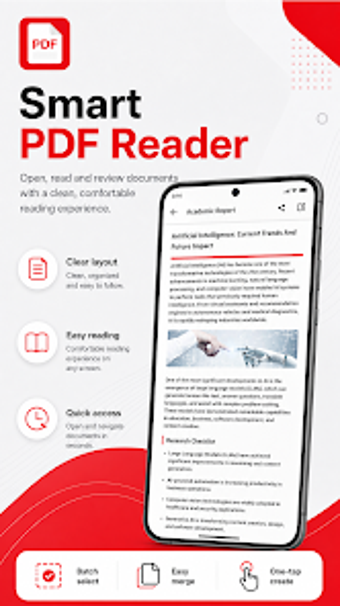
PDF Craft: Scan & View by CNE Game box combines a PDF reader and mobile scanner into a single Android utility, aimed at students, office professionals, and general users. The app lets you capture paper documents and manage a document library locally, while offering smooth scrolling, zooming, and text search for reading. It also supports converting JPG and PNG images into PDFs, and presents a minimal, clutter-free interface that prioritizes quick document tasks.
Does it keep document work on the device and offline?
The app uses a local-first approach and core features operate without an internet connection, so scanning and document handling run on the device. The developer notes local document processing and absence of complex sign-up requirements, which reduces external data exposure during everyday tasks. For users who prefer to avoid networked storage, this setup places processing and file storage under the user's control.
How does it find and manage files across storage?
Automatic discovery scans device storage for supported formats and surfaces Word, Excel, and PowerPoint files alongside PDFs. The app provides file management actions such as renaming, deleting, and sharing, letting users reorganize documents from a single list. That discovery model helps consolidate scattered files on a phone, reducing manual search across folders when organizing a mobile document library.
What output control and scanning quality can you expect?
Scanning converts physical pages into high-quality PDFs and an image-to-PDF converter accepts JPG and PNG inputs, producing ready-to-read documents without extra conversion steps. Bookmark functionality helps jump to specific pages in long files, which is useful for study notes or reference manuals. The workflow emphasizes quick capture and export, keeping the output as standard PDF files for broad compatibility.
Is the app approachable for everyday users or does it demand technical skill?
The interface is described as clean and zero-clutter, and users report fast scanning and viewing without complex registration. Compatibility targets modern Android devices, so setup is straightforward for most mobile users. Casual users can perform common tasks immediately, while people who need deeper automation or cloud integration may find the app intentionally focused on simple, local workflows.
A practical, local-first choice for mobile document handling
PDF Craft is a sensible option for mobile users who prioritize on-device scanning and basic library control. It serves daily capture and file organization tasks efficiently, but it does not advertise advanced OCR or cloud synchronization capabilities for centralized workflows. Recommended.